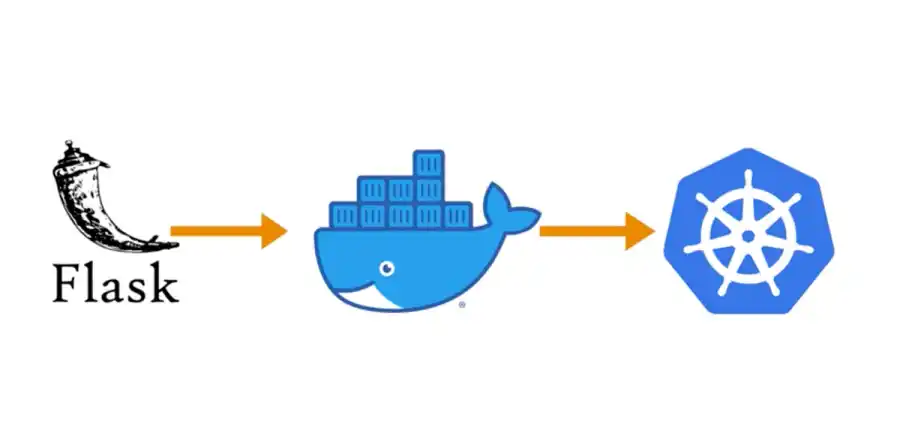
Di artikel ini, kita akan membahas cara mendeploy aplikasi Flask ke Kubernetes secara lengkap dan praktis.
1. Mengapa Menggunakan Kubernetes untuk Flask?
Keunggulan Kubernetes:
- Auto-scaling (Horizontal Pod Autoscaler)
- Self-healing (otomatis restart container yang gagal)
- Load balancing built-in
- Rolling updates tanpa downtime
- Service discovery & konfigurasi terpusat
- Cocok untuk arsitektur microservices
Jika aplikasi Flask Anda hanya kecil-menengah, Docker + Docker Compose sudah cukup. Kubernetes lebih cocok untuk aplikasi yang kompleks dan membutuhkan skalabilitas tinggi.
2. Persiapan Docker Image
Sebelum deploy ke Kubernetes, pastikan aplikasi Flask sudah dibungkus dalam Docker image yang baik.
Contoh Dockerfile untuk Production
FROM python:3.11-slim
WORKDIR /app
COPY requirements.txt .RUN pip install --no-cache-dir -r requirements.txt gunicorn
COPY . .
CMD ["gunicorn", "-w", "4", "-b", "0.0.0.0:8000", "app:create_app('production')"]Build image:
docker build -t my-flask-app:latest .3. Konsep Dasar Kubernetes
| Konsep | Penjelasan |
|---|---|
| Pod | Unit terkecil yang bisa di-deploy (biasanya 1 container) |
| Deployment | Mengelola replicasi dan update Pod |
| Service | Load balancing antar Pod |
| Ingress | Mengatur akses dari luar cluster (HTTP/HTTPS) |
| ConfigMap | Menyimpan konfigurasi non-sensitive |
| Secret | Menyimpan data sensitif (password, API key) |
4. Deployment Manifest
Buat file deployment.yaml:
apiVersion: apps/v1kind: Deploymentmetadata: name: flask-appspec: replicas: 3 selector: matchLabels: app: flask-app template: metadata: labels: app: flask-app spec: containers: - name: flask image: my-flask-app:latest ports: - containerPort: 8000 env: - name: FLASK_ENV value: "production" resources: requests: memory: "256Mi" cpu: "250m" limits: memory: "512Mi" cpu: "500m"Terapkan:
kubectl apply -f deployment.yaml5. Service
Buat file service.yaml:
apiVersion: v1kind: Servicemetadata: name: flask-servicespec: selector: app: flask-app ports: - protocol: TCP port: 80 targetPort: 8000 type: ClusterIP6. Ingress (Akses dari Luar)
Buat file ingress.yaml:
apiVersion: networking.k8s.io/v1kind: Ingressmetadata: name: flask-ingress annotations: nginx.ingress.kubernetes.io/rewrite-target: /spec: rules: - host: flask.yourdomain.com http: paths: - path: / pathType: Prefix backend: service: name: flask-service port: number: 807. ConfigMap & Secret
ConfigMap
apiVersion: v1kind: ConfigMapmetadata: name: flask-configdata: FLASK_ENV: "production" LOG_LEVEL: "INFO"Secret
apiVersion: v1kind: Secretmetadata: name: flask-secrettype: OpaquestringData: SECRET_KEY: "your-super-secret-key" DATABASE_URL: "postgresql://user:pass@db:5432/mydb"Gunakan di Deployment:
envFrom:- configMapRef: name: flask-config- secretRef: name: flask-secret8. Health Checks (Liveness & Readiness Probe)
Sangat penting untuk production:
livenessProbe: httpGet: path: /health port: 8000 initialDelaySeconds: 30 periodSeconds: 10
readinessProbe: httpGet: path: /ready port: 8000 initialDelaySeconds: 5 periodSeconds: 5Pastikan aplikasi Flask memiliki endpoint /health dan /ready.
9. Horizontal Pod Autoscaler (HPA)
apiVersion: autoscaling/v2kind: HorizontalPodAutoscalermetadata: name: flask-hpaspec: scaleTargetRef: apiVersion: apps/v1 kind: Deployment name: flask-app minReplicas: 3 maxReplicas: 10 metrics: - type: Resource resource: name: cpu target: type: Utilization averageUtilization: 7010. Best Practices Kubernetes untuk Flask
| Praktik | Rekomendasi |
|---|---|
| Gunakan non-root user di container | Tingkatkan keamanan |
| Set resource requests & limits | Hindari resource starvation |
| Gunakan liveness & readiness probe | Self-healing & traffic management |
| Simpan secret di Kubernetes Secret | Jangan hardcode |
| Gunakan ConfigMap untuk konfigurasi | Lebih fleksibel |
| Implementasikan HPA | Auto scaling berdasarkan beban |
| Gunakan Ingress + TLS | Akses aman dari luar |
| Rolling Update strategy | Zero downtime deployment |
| Monitor dengan Prometheus + Grafana | Observability |
Kesimpulan
Kubernetes memberikan kekuatan yang sangat besar untuk menjalankan aplikasi Flask di production, terutama ketika Anda membutuhkan:
- Skalabilitas otomatis
- High availability
- Zero-downtime deployment
- Manajemen konfigurasi yang terpusat
Namun, Kubernetes juga memiliki kurva belajar yang cukup curam. Untuk proyek kecil atau menengah, Docker Compose atau platform managed seperti Render, Railway, atau Heroku mungkin lebih efisien.
Jika proyek Anda sudah besar, kompleks, dan membutuhkan skalabilitas tinggi, maka Kubernetes adalah pilihan yang tepat.